WSJT-X Users please go here ->https://station-master.online/post/124
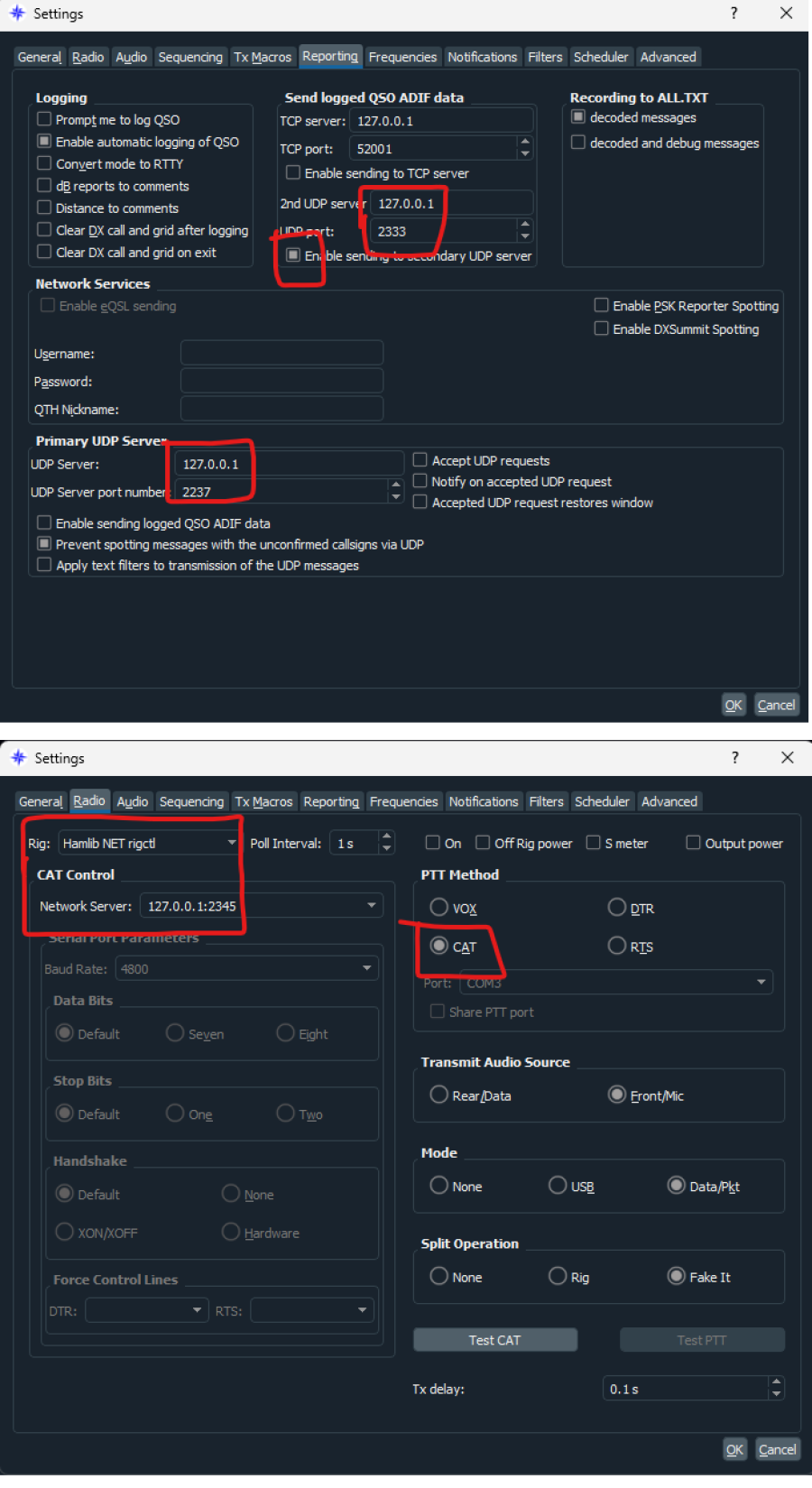
JTDX Users please go to File > Settings (in Station Master Desktop) and enter 2333 for the UDP 'ADIF Receiver' and ensure JTDX is configured as per the image below.
JTDX - FT4/8 'Auto Logging' to Station Master Pro
Log in to comment

OH6IH
Not yet working May I send my settings on JTDX on Raspberry Pi?
4 years ago

G5STU
sure, on the pi you will need to enter the ip address of the machine that station master is running on instead of 127.0.0.1 please dm me on facebook, find me via the facebook group, there is a link in the help post at the top of this page. or email [email protected] Thanks
4 years ago
OH6IH
Ok, I try to put in the ip address first. I'll come back if it's not enough ...
4 years ago