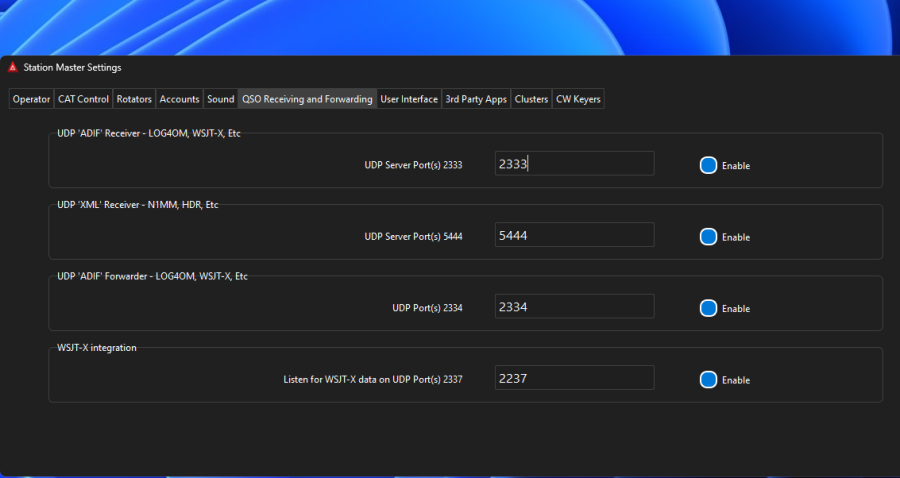
Complete these steps to see your FT8 contacts in Station Master in real time.
Step 1
In WSJT-X (or similar apps) go to the REPORTING tab in settings, look for the "Secondary UDP" section and enter IP address 127.0.0.1 and port 2333 , then tick "Enable logged contact ADIF broadcast". Click Ok to save settings.
Step 2
In the WSJT-X RIG section select "Hamlib NET rigctl" enter Network Server "127.0.0.1:2345"
Step 3
See image below and make sure you have those settings in the Station Master Desktop APP.